QR Code vs NFC Business Cards: How to Choose

QR and NFC business cards both hand someone a link to your details. A camera reads a QR code, a phone tap reads an NFC chip, so each has its place. Below, we compare them, including what we do and don't offer.
How each one works
A QR code is a printed pattern. You point your phone's camera at it, the phone reads the pattern, and it offers to open whatever address the pattern holds. It needs no hardware beyond ink or a screen.
NFC is a short-range radio chip. A business card with an NFC chip inside, or a tag stuck to a phone case, stores a small piece of data, usually a web address. When a phone is held a few centimetres from it, the phone reads the address and opens it. It needs a physical object that someone had to buy or make.
In both cases the person ends up on a web page. The code or the chip is only the delivery method. The part that decides whether your card is useful is the page it opens.
Where a QR code is stronger
- It works anywhere you can show an image. A flyer, a menu, a window, a slide, a badge, a social post, an email signature, a screen shared on a call. An NFC chip can't be put on a slide that people photograph from the back of a room.
- It costs nothing to add. A code is part of the print you were already ordering, or a picture on your phone screen.
- Many people can scan at once. At a talk, a hundred people can scan a slide at the same time. A tap works for one person at a time.
- It works at a distance. A large code on a sign can be scanned from several metres away. An NFC tap needs the phone nearly touching the chip.
- It's cheap to replace. A printed code can fade or tear, like any print, but reprinting one costs little, and a chip card that bends, cracks or gets lost has to be bought again.
Where NFC is stronger
- The tap is quick in a one-to-one meeting. There's no aiming and no waiting for the camera to focus.
- It works without good light. A camera needs to see the pattern. A chip doesn't.
- It feels like a gadget. Some people like the object itself, and a metal or specialty card can make an impression.
Where NFC gets awkward
Phone support varies by model and by settings. Many current phones can read a tag, but not all, and some need NFC switched on first. A metal case or a metal surface behind the chip can block the signal. A chip also stores what was written to it. If it holds a web address that you can't edit afterwards, the card is only as flexible as the page behind that address.
That last point matters most, and it applies to both methods. If either one points straight at a fixed link, such as your LinkedIn profile, then every card is wrong the moment that link changes. If either one points at a page you control, you can change what the page says without replacing a single card.
What we do and don't offer
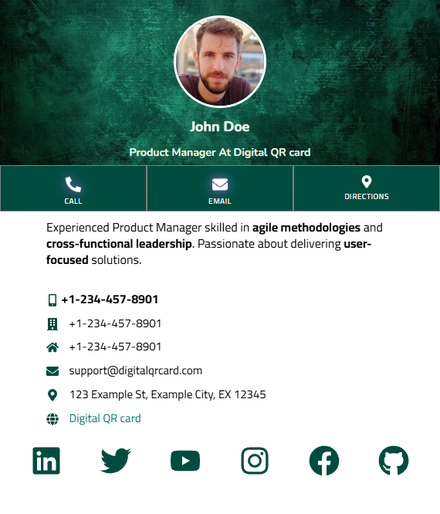
Digital QR Card is built on QR codes and links. Your card has its own web address and its own QR code, the card opens in the browser, and anyone can save your contact with one tap. People who scan don't need an app.
We don't make or sell NFC cards, and the product has no NFC-specific feature. Because your card is an ordinary web link, any NFC tag or card that can hold a web address could be written with it, if you want a tap option and buy the hardware elsewhere. That's your decision to make and your hardware to test. We don't support or guarantee that setup.
On the phone side, your card can be added to the home screen of the person who opens it.
How to choose
Use these rules of thumb.
- If most of your handouts happen on paper, on signs, on screens or in groups, use a QR code.
- If you meet people one at a time, indoors, and like the idea of a physical object, an NFC card is a nice extra.
- If you're not sure, start with the QR code. It costs nothing to try, and it covers the cases where NFC can't help.
- Whichever you pick, point it at a page you can edit.
Some people do both: an NFC card for the tap and a QR code printed on the back for people whose phones don't read the chip. The code is the fallback, because nearly every current phone's camera app can read it.
The cost question
A QR code costs the price of a print job you were already doing. An NFC card adds the cost of the hardware, and you'd pay it again for each person on a team. If you're comparing digital card plans, look at what the page behind the code or chip does for you: whether you can edit it, whether you can see how often it's opened, and whether it can collect details from the people who scan. The pricing page lists what each of our plans includes, and our earlier pricing comparison looks at how one-time and subscription prices add up over several years.
If a QR code suits the way you share your details, make a free card and try it in a real conversation this week.