Digital Business Cards for Insurance Agents: What to Put on One

A digital business card suits an insurance agent because carriers, products and contact details live on a page you can edit, and paper can't match that. Below is what to put on one, what to keep off it, and how lead capture fits.
Why paper cards age badly in this job
Insurance agents sell several lines of business: auto, home, life, commercial, health and more. A paper card has room for one tagline. So agents either print a different card for each conversation or print a generic one that says little. Meanwhile the details move. An independent agent adds or drops a carrier. A captive agent changes agencies. A phone number gets reassigned. Each of those turns a drawer of printed cards into a drawer of wrong ones.
A digital card points at one page that you edit. Change a line, and the next person who opens your card, from any QR code or link you've ever handed out, sees the current version.
What to put on the card
- A specific title. "Independent agent, home and auto" or "Commercial lines broker" says more than "Insurance agent".
- Your lines of business, in the summary. The summary is free text, so list what you write in plain words: personal auto, homeowners, renters, life, small business coverage. One short list beats a paragraph.
- The carriers you work with, if you want to show them. They go in the summary too, and one edit keeps them current when your roster changes.
- Your license number. The card has no separate license field, so write it into your title or summary as text. It then shows to everyone who opens the card. Nothing on the card checks that it's correct or complete, so that responsibility stays with you.
- One link for the next step. A quote page, your agency site or a booking link. Calendly and Google Calendar are among the link types the card supports.
- One phone number and one email that your office answers.
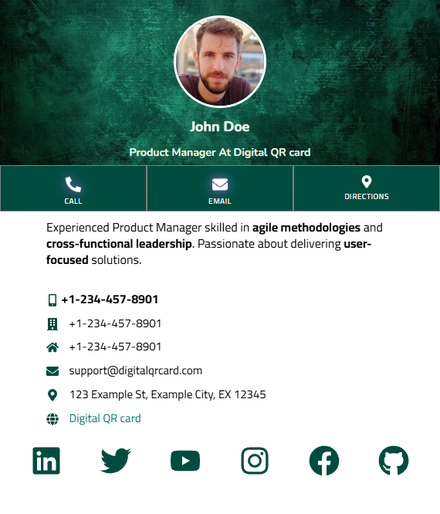
For ideas on layout and wording, the page for insurance agents shows how a card for this work can read, and the card creation guide covers photos and themes.
Check the rules before you print a code
Whether you can use a digital card, and what has to appear on it, depends on your state or country, your agency and your carriers. We can't tell you what applies to you. Ask your agency, your compliance contact or your licensing authority before you start handing the card out, and show them the card first. What you write on the card is what it shows, and it's your decision and your firm's what that text should say.
Several cards for several conversations
You may not want one card that tries to be everything. Pro Lifetime lets you keep up to 3 cards. One agent might use a card for personal lines, a second for commercial clients and a third for referral partners such as realtors and mortgage brokers. Each card has its own link and its own QR code, so you give the right one to the right person.
The Free plan allows 2 cards, which is enough to try the idea. Pro Lifetime is a one-time payment of $45 with no subscription, and the pricing page has the current details.
Capturing leads from a quote conversation
The lead capture form is a paid feature. When a prospect scans your code, the form can ask for a name, an email, a phone number and a short message. You choose which of those fields appear, and whether the form is required or can be skipped. You get a notification when someone submits, and the prospect receives an email with your contact details and a link to your card. Their details go into your Contacts list, where you can add notes and tags, mark them as contacted or converted, and export the list as a CSV.
Keep one limit in mind. Don't ask for health details, financial information or anything that belongs in your agency's own secure intake process. Use the message field for something simple, like "What would you like a quote for?", and take the sensitive details through the channel your agency approves.
Where to use the code
- On the folder or envelope you hand to a new client. It saves them typing your number into their phone.
- On a leave-behind at a referral partner's office. A QR code on a counter card lets their clients reach you, without anyone needing to remember your name.
- At community events. A code on a table sign lets people look you up at their own pace.
- In your email signature. The link version of the same card.
The same craft rules apply as for any printed code: make it large enough, leave a clear margin and test it on paper before you order. Our post on paper business cards covers when printing still makes sense.
When your situation changes
If you move agencies or add a carrier, you edit the card. Your link and your QR code stay the same, so a code on a printed folder from last year still opens the right card. And you don't have to explain why the number on the card is wrong. One thing is worth remembering: when someone saves your contact to their phone, that saved entry is a copy and won't update. The card page is always current, so point people back to it.
What a card can't do
It doesn't replace your agency's systems. There's no connection to agency management software, so a lead's details travel by CSV export. And you can't scan a paper card into the Contacts list, so people who hand you paper still get typed in by hand. Those limits are worth knowing before you build a routine around it.
To see how this reads in practice, make a free card and try your title and summary on your own phone first.