Digital Business Cards for Photographers: Portfolio, Booking and Print
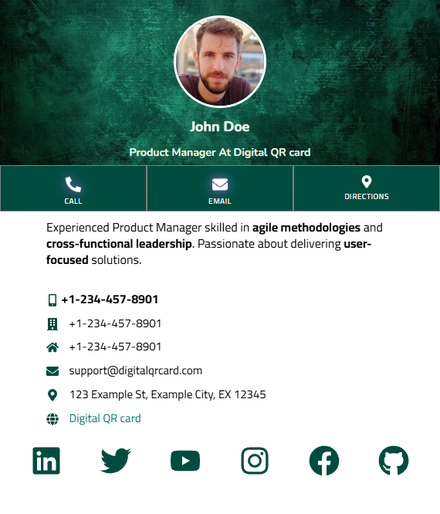
A photographer's card should lead with the work, and a digital card can. One scan shows your best pictures and a way to book you, with no reprinting. Below is how to set one up.
The problem with a printed card
A photographer's best work changes every season. The shoot you're proudest of in spring is not the one you'll want to show in autumn. Printed cards point at one address and one impression, and they stay that way until the box runs out. Someone who keeps your card for a year opens a link to whatever you were showing a year ago.
A card page separates the two. The code you print stays the same, and what's behind it is yours to change.
Make the card show your work first
Visitors judge a photographer by pictures before they read anything. A few settings make a difference:
- Photo and background. The card has a profile photo and a background image. Use your strongest shot as the background, and a clear portrait of yourself as the photo, so people know who they'd be working with.
- Layout. There are four: Classic, Modern, Glass and Mono. Modern uses a full-width photo at the top, which suits image-led work. Try each one in the preview and keep the one that shows your pictures best.
- The web address. Set it to your portfolio, and give it a label like "See my work". Any valid address works, so your own site, Pixieset, ShootProof, SmugMug or Zenfolio all fit.
- A summary. Two sentences on what you shoot and where you work. "Weddings and portraits in the Bay Area" tells a stranger more than "Passionate visual storyteller".
Links that matter to a photographer
The card's list of social and booking links includes Instagram, YouTube, TikTok, Facebook, Behance, WhatsApp, Calendly and Google Calendar. Add the ones you actually use. For most photographers, that means Instagram, because it works as a living portfolio, and a booking link, because it turns interest into a conversation. Pinterest isn't on the list, so if you rely on it, use your web address field for it, or link to it from your portfolio.
One privacy point. A card is public, so anyone with the link or the code can open it. Don't put the address of a private client gallery on it, even if the gallery has a password, because the link itself becomes public. Link to your public portfolio, and send private galleries to clients directly.
Several cards for several kinds of client
A wedding client and a corporate client want different things from you. Pro Lifetime lets you keep up to 3 cards, so you could use one for weddings with a bridal portfolio, one for corporate work with brand and headshot galleries, and one for commercial clients. Each has its own link and QR code. The Free plan allows 2 cards, and Pro Lifetime is a one-time payment of $45 with no subscription. See the pricing page for what each plan includes.
Put the code on print work
Photographers hand over physical things: prints, albums, proof booklets, USB drives and framed work. Each of them can carry a small code that leads back to you.
- On the back of a print. A small label with your name and a code turns a finished print into a way to find you again.
- In a proof booklet or an album. Add a code on the last page, with a line like "Scan to book another session".
- On USB packaging or a delivery note. Clients tend to keep these.
- On a printed card at an event. Tuck a card into a program, a gift bag or a table setting, if the organiser agrees.
For printing, use the "Download QR for print" button in My Cards. It gives a large PNG with a white background, a PNG with a transparent background, and an SVG. Keep the clear margin around the code, keep the code on a plain light area and don't print it over a photo. The print rules in our guide to a QR code on a Canva flyer apply to any printed piece. Test one copy at its real size before you commit to a batch of prints.
Collecting inquiries
On a paid plan, the lead capture form can ask visitors who scan your code for a name, an email, a phone number, a company and a short message. The message field is where a prospect can say what they're planning, such as a wedding date or a type of shoot. You choose which fields appear and whether visitors can skip the form. Each submission arrives as a notification, and the visitor gets an email with your contact details and a link to your card.
Submissions land in your Contacts list. You can add notes and tags there, such as "wedding" or "headshots", mark a contact as contacted or converted, and export the list as a CSV. A visitor has to give an email or a phone number, so some inquiries will arrive with only one of them.
Check your numbers by day
The analytics show views, QR scans and taps on your links, with activity over time. If you put a code on the cards you hand out at a particular event, you can look at the day of the event and see what happened afterwards. On Free the analytics show today only, so check on the day. Longer ranges are paid, and the pricing page shows what each plan includes.
Keep it simple
The card works best when it does one job: put your best work in front of someone, and make it easy for them to reach you. Resist the urge to link every gallery you've ever made. One strong portfolio link, one booking link, and a clear photo of yourself will beat a crowded page.
The page for photographers shows how a card for this work can read. To build one now, make a free card and put your portfolio link in the web address field.